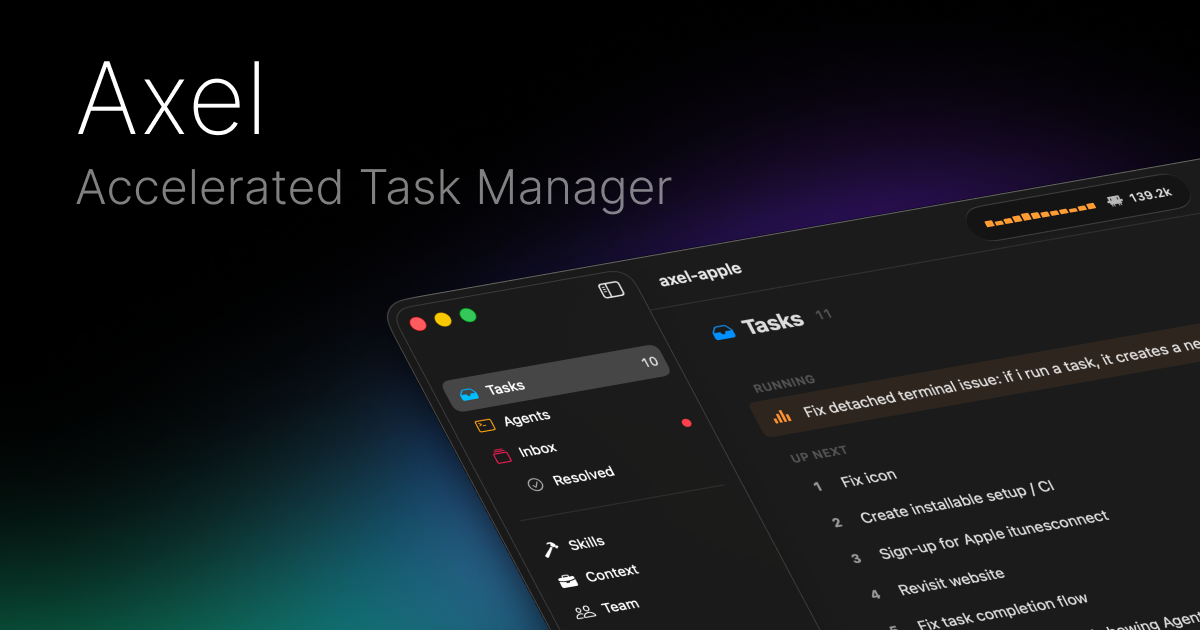
Axel is a native macOS application designed as an accelerated task manager specifically for developers and technical professionals who work with multiple AI agents. Its primary purpose is to streamline and orchestrate workflows involving AI assistants like Claude, Codex, OpenCode, and Antigravity by providing a centralized queue for tasks, intelligent dispatch capabilities, and a unified approval system for agent actions. The tool allows users to manage parallel execution of tasks, reorder priorities dynamically, and maintain full oversight and control over all automated operations from a single, efficient interface built with SwiftUI for seamless integration into the macOS ecosystem.
Developers and engineers working with AI agents often face significant friction in managing multiple assistants, switching contexts between different tools, and maintaining oversight over automated actions. The problem involves disjointed workflows where tasks for different agents are managed separately, leading to inefficiencies, lack of parallel execution, and constant manual intervention for approvals. Without a centralized system, users struggle to prioritize work dynamically, track costs and token usage across sessions, or maintain consistent skill sets and project layouts across different AI tools, resulting in fragmented productivity and increased cognitive load.
The task queue and dispatch system represents the first major feature group, enabling users to add tasks to a centralized queue and assign them to specific AI agents like Claude, Codex, OpenCode, or Antigravity. This works by allowing parallel execution where multiple tasks can run simultaneously, with dynamic priority management through drag-and-drop reordering that takes effect immediately without requiring restarts. The system provides full keyboard shortcut support for all operations including creating new panes, dispatching tasks, reordering queues, and terminating processes, ensuring a mouse-free, efficient workflow tailored for power users who value speed and precision in their task management.
The portable skills and project configuration system forms the second major feature group, centered on the AXEL.md file which uses YAML frontmatter combined with markdown to define project layouts, pane configurations, skill assignments, and grid positions in a single, version-controlled document. Skills are stored in a centralized directory at `~/.config/axel/skills`, and Axel automatically symlinks them to each agent's expected location upon launch, ensuring consistency across all AI tools. This system supports both tmux and iTerm2 for session management, with persistent sessions that can be detached and reattached later, and includes specialized commands like `axel -w feat/auth` that automatically spawns a git worktree and tmux session for specific branches.
admin
The unified inbox and approval system constitutes the third major feature group, providing a single location where all agent requests for permissions are collected for user review. Agents must request explicit approval before performing actions like editing files, running commands, or making API calls, with each request displaying full context including file paths, diff previews, and command arguments. Users can approve, deny, or establish auto-approve rules for specific operation types such as read-only access or small edits under a certain token threshold, with macOS notifications alerting users when agents are blocked waiting for decisions, ensuring no action occurs without proper authorization.
Technically, Axel operates as a native SwiftUI application for macOS, iOS, and visionOS, deeply integrated into the Apple ecosystem with features like menu bar access, system-wide keyboard shortcuts, and Spotlight integration. The application manages task execution through a queue-based architecture that supports concurrent processing, with real-time tracking of input/output tokens and associated USD costs per task, plus cumulative totals across sessions. It functions as an orchestration layer between the user and multiple AI agents, handling skill distribution, session persistence, and permission workflows while maintaining a consistent interface across different AI tools and project environments.
Users benefit from measurable outcomes including significantly reduced context switching between different AI tools, increased parallel task execution capabilities, and streamlined approval workflows that save time while maintaining security. The system provides clear visibility into AI usage costs through token and dollar tracking, enables consistent project setups through portable configuration files, and reduces manual overhead through auto-approval rules for routine operations. Developers gain faster iteration cycles, better control over automated processes, and a unified workspace that adapts to changing priorities without interrupting ongoing tasks, ultimately accelerating development workflows involving multiple AI assistants.
Concrete use cases include a developer working on a web application who queues up tasks for implementing authentication features, with one task dispatched to Claude for writing middleware code and another to Codex for generating test suites, all managed from a single interface. Another example is a Rust developer using the portable skills system to maintain consistent linting and formatting configurations across different AI agents while working on multiple git branches, with automatic tmux session management. A team lead could use the inbox to review and approve all AI-generated code changes before they're committed, setting auto-approve rules for documentation updates while requiring manual review for production code modifications.
The target users are primarily developers, engineers, and technical professionals working on macOS who regularly employ multiple AI assistants in their workflow and need orchestration tools to manage them efficiently. The product integrates with AI agents including Claude, Codex, OpenCode, and Antigravity, supports development tools like git, tmux, and iTerm2, and uses a tech stack centered on native SwiftUI for the frontend with YAML-based configuration. While specific pricing plans aren't detailed in the provided content, the application is available as a downloadable macOS application with features extending to iOS and visionOS platforms, suggesting a focus on Apple ecosystem users who value deep system integration.
In summary, Axel provides a comprehensive solution for managing AI agent workflows by combining task queuing, intelligent dispatch, portable skills management, and granular approval controls into a single native macOS application. It addresses the fragmentation problem of using multiple AI tools by creating a unified interface that accelerates development processes while maintaining user oversight, making it particularly valuable for technical professionals who rely on AI assistants for coding and development tasks and need efficient orchestration without sacrificing control or visibility.
The primary target audience consists of developers, engineers, and technical professionals working on macOS who regularly use multiple AI assistants like Claude, Codex, OpenCode, and Antigravity in their workflows. These users need efficient orchestration tools to manage parallel task execution, maintain oversight through approval systems, and reduce context switching between different AI tools. They value keyboard-driven efficiency, system integration, and portable configuration management for consistent project setups across different environments and AI agents.
Updated 2026-02-28