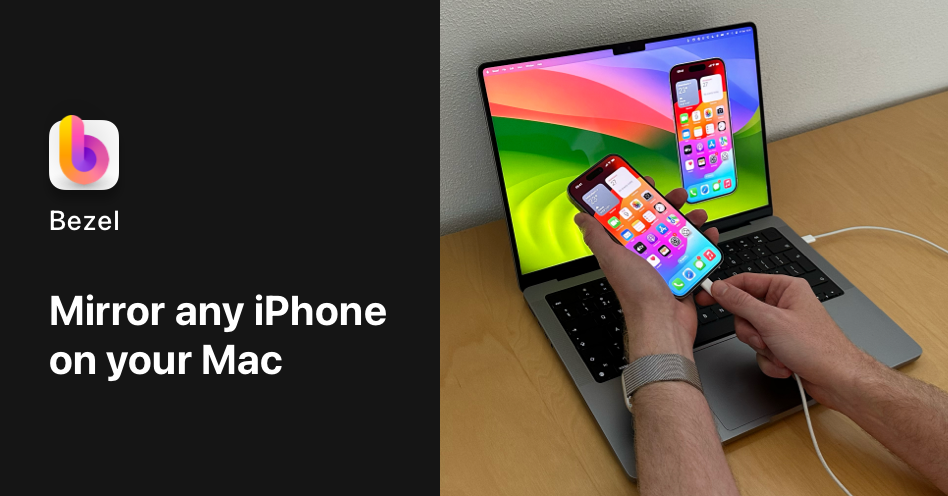
Bezel is a specialized software application designed for Mac users who need to display and record the screen of their iPhone, iPad, or Apple TV devices. It serves developers, designers, product managers, and content creators who require high-quality visual representations of Apple device interfaces for presentations, demos, tutorials, and documentation. The primary purpose is to provide a seamless, professional method for mirroring Apple device screens onto a Mac computer, eliminating the need for physical cables or complicated setup processes while offering integrated recording capabilities with aesthetic enhancements like device bezels and customizable backgrounds.
Before tools like Bezel, professionals faced significant challenges when trying to showcase Apple device interfaces during meetings, client presentations, or while creating instructional content. The traditional method involved using physical cables to connect devices, which created clutter, restricted movement, and often introduced compatibility issues. Recording screen sessions required separate software, leading to disjointed workflows and inconsistent visual quality. There was a clear pain point in achieving professional, polished presentations of mobile and TV interfaces without complex technical setups or expensive hardware solutions, particularly for teams needing to share their work frequently and efficiently.
One of Bezel's major feature groups is wireless mirroring capability, which allows users to display their iPhone, iPad, or Apple TV screens on their Mac without any physical connections. This works by leveraging Apple's built-in AirPlay technology, creating a direct wireless link between the Apple device and the Mac running Bezel. Users simply need to ensure both devices are on the same network, then select the Mac from the AirPlay menu on their iOS device or Apple TV. This eliminates cable clutter and provides freedom of movement, making it ideal for live demonstrations, presentations, or design reviews where the presenter needs to interact naturally with the device while the audience views the screen on a larger display.
Another significant feature group is the one-click recording functionality that captures screen activity with professional visual enhancements. When recording, Bezel automatically adds a realistic device bezel around the screen content, making it appear as if the recording was taken directly on the physical device. Users can also customize backgrounds, choosing from various colors, gradients, or images to create visually appealing compositions suitable for different contexts like marketing materials, app store previews, or tutorial videos. The recording process is optimized for quality and efficiency, producing high-resolution videos without requiring additional editing software or complex post-production steps.
admin
Bezel offers additional capabilities including support for multiple Apple device types, ensuring compatibility across the ecosystem. It works with iPhones, iPads, and Apple TV, covering the range of devices that professionals commonly need to demonstrate. The software provides various display options, allowing users to adjust the size and positioning of the mirrored screen on their Mac desktop. This flexibility enables side-by-side comparisons, multi-device demonstrations, or optimized layouts for different presentation scenarios. The tool is designed to integrate smoothly into existing workflows, requiring minimal configuration while delivering maximum visual impact for both live sharing and recorded content creation.
Technically, Bezel operates as a native Mac application built by developers with expertise in Apple platform development. It utilizes Apple's AirPlay protocol for wireless screen mirroring, ensuring reliable, low-latency transmission between devices. The recording engine captures screen content at high fidelity, applying graphical overlays like bezels and backgrounds in real-time during the capture process. The application is optimized for performance, maintaining smooth screen updates even during intensive usage. Its architecture leverages modern macOS frameworks to provide a stable, responsive user experience that feels integrated with the operating system rather than a third-party add-on.
Users benefit from measurable outcomes including reduced setup time for presentations, professional-quality visual assets without design expertise, and streamlined workflows for creating demo content. Developers can showcase their apps in realistic device contexts during testing or stakeholder reviews. Designers can present interface mockups and prototypes in authentic device frames during client meetings. Product managers can create polished product demos for marketing or investor pitches. Content creators can produce tutorial videos with consistent, branded visuals. All users gain the advantage of wireless operation, eliminating cable management issues and enabling more dynamic, engaging presentations.
Concrete use cases include app developers recording screen captures for App Store listings, where they need to show their application running on actual device screens with attractive backgrounds. Design teams can conduct remote design reviews by mirroring an iPhone screen to a Mac during video conferences, allowing all participants to see interactions in real-time. Product trainers can create step-by-step tutorial videos for enterprise applications, with consistent device framing that helps learners focus on the interface. Marketing teams can produce promotional materials showing their app across different Apple devices without expensive photo shoots. Support teams can record bug reproduction steps with clear device context for engineering teams to analyze.
The target users are primarily professionals working with Apple devices, including iOS and iPadOS developers, UX/UI designers, product managers, quality assurance testers, marketing specialists, and content creators. The tool integrates with existing Apple ecosystems through AirPlay, requiring no additional hardware or complex software installations. While specific pricing plans are not detailed in the provided content, the product is positioned as a commercial application available for purchase. The technical stack involves native macOS development, likely utilizing Swift and Apple's frameworks, given the developers' stated expertise in native Apple platform development and their blog content focusing on Swift programming topics.
In summary, Bezel addresses the fundamental need for professional Apple device screen presentation and recording by combining wireless mirroring convenience with polished visual output. It transforms how individuals and teams share their work, moving from cumbersome cable-based setups to streamlined wireless workflows that produce publication-ready results. Whether for internal reviews, client presentations, or public marketing materials, Bezel provides the tools to showcase Apple device interfaces with the quality and professionalism that modern digital work demands, making it an essential utility for anyone regularly demonstrating or documenting experiences on iPhone, iPad, or Apple TV platforms.
Bezel targets professionals who work with Apple devices and need to present or record their screens. Primary users include iOS and iPadOS developers showcasing applications, UX/UI designers presenting interface mockups, product managers demonstrating features to stakeholders, quality assurance testers documenting issues, marketing specialists creating promotional content, and content creators producing tutorial videos. These users require professional-quality visual representations of Apple device interfaces for presentations, demos, documentation, and marketing materials without complex setups or design expertise.
Updated 2026-04-30