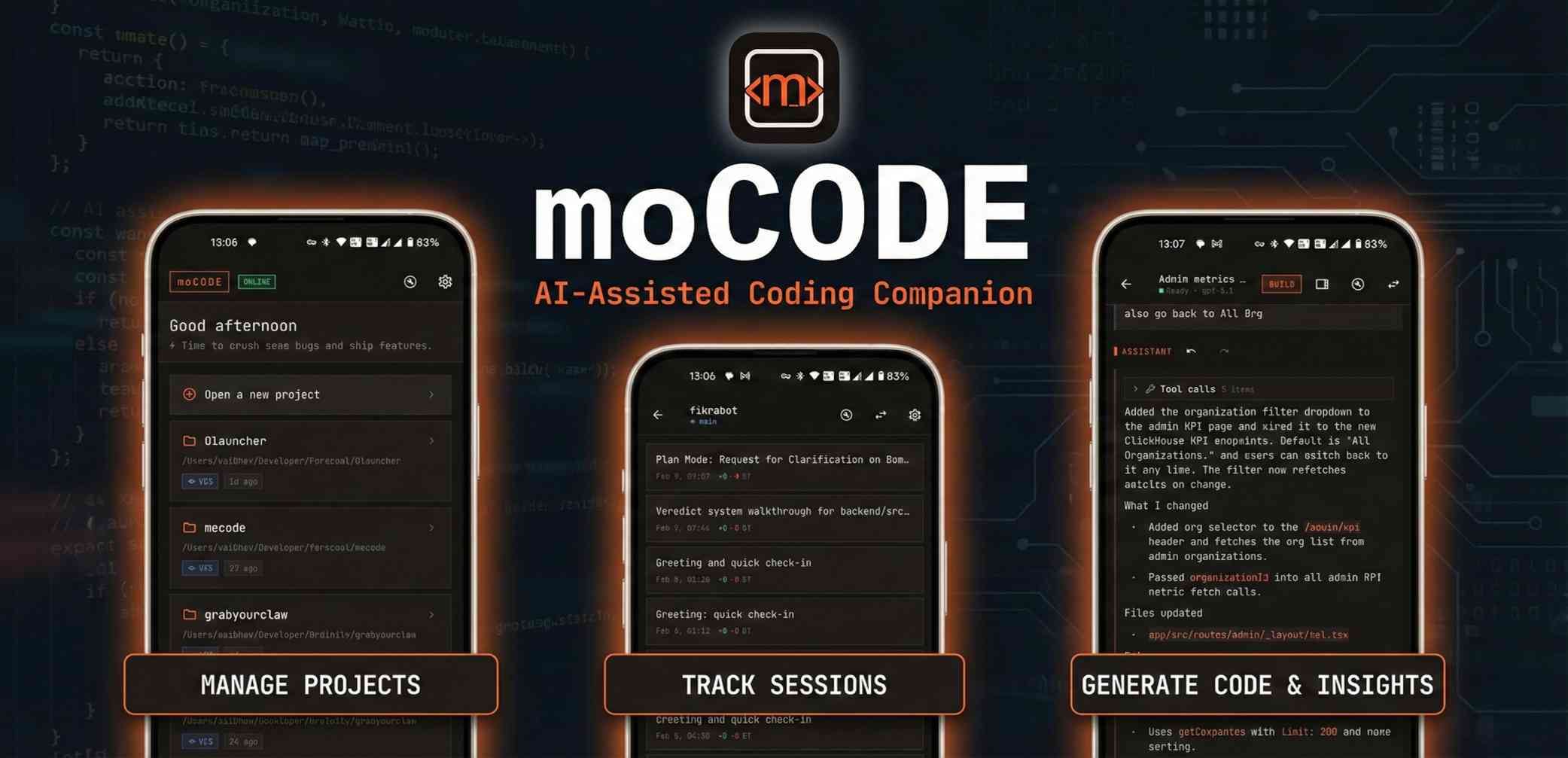
moCODE is a mobile application designed as a companion for OpenCode or KiloCode Server, enabling developers to perform AI-assisted coding tasks directly from their mobile devices. It serves developers who need to maintain productivity while away from their primary workstations, allowing them to write, review, and ship code from any location. The app integrates powerful AI tools and remote server connectivity to bring a full development workflow to a smartphone, making it possible to handle real coding work on the go without being tied to a desktop computer. Its primary purpose is to transform mobile devices into capable development environments by leveraging cloud-based or local server resources for AI-powered assistance and code management.
Traditionally, developers have been constrained to desktop or laptop computers for serious coding work due to the limitations of mobile interfaces and lack of professional development tools on smartphones. This creates a significant pain point when inspiration strikes or urgent fixes are needed while away from a computer, leading to lost productivity and workflow interruptions. The problem is compounded by the growing expectation for continuous delivery and rapid response in software development, where delays can impact project timelines and team efficiency. moCODE addresses this by providing a mobile-optimized interface that connects to existing server infrastructure, bridging the gap between mobility and powerful coding assistance.
One major feature group is the AI Pair Programmer, which allows users to ask questions, plan implementations, and get coding help within the app. Users can mention specific files using the @ symbol, trigger fast actions with slash commands, and receive streamed answers with readable code formatting for clarity. This interactive AI assistance mimics having a collaborative partner available at all times, providing real-time suggestions and solutions as developers work through problems. The feature is designed to integrate seamlessly into the mobile workflow, ensuring that AI support is context-aware and directly applicable to the codebase being edited, enhancing both learning and productivity.
Another key feature group is Branch-Smart Sessions, which help maintain clean context across different coding tasks. Users can create, fork, archive, and share sessions that are tied to the state of a specific branch in their version control system. This organization allows developers to switch between tasks without losing their place, and past work can be quickly retrieved using search and filtering tools. By linking sessions to branch states, moCODE ensures that AI conversations and code changes remain relevant to the current development context, reducing confusion and improving focus when juggling multiple features or bug fixes simultaneously.
admin
Additional capabilities include Model Control, which lets users browse every connected AI model, star favorites, and set defaults per session or globally for easy access. The app also provides Diffs, Debugging, and Terminal tools, offering syntax-highlighted diffs for code review, actionable error inspection, and built-in SSH terminal access for direct server management. Remote file navigation over SFTP allows users to browse projects, download files locally, and pin important paths for quick reference. Furthermore, Direct Voice to Text enables real-time speech-to-text input, allowing hands-free capture of prompts, notes, and ideas when typing is inconvenient.
Overall, moCODE works by connecting to an OpenCode or KiloCode Server running locally or remotely, which handles the AI processing and code management backend. The mobile app serves as a client interface, providing tools like chat, file browsing, terminal access, and session management through a dark-themed, mobile-optimized design. Users set up the connection by entering their server address in the app settings and signing in with a Google account, after which they can immediately start using AI-assisted coding features. The technical approach leverages existing server infrastructure to offload heavy computations, ensuring the mobile app remains responsive and capable without requiring extensive local resources.
Benefits for users include the ability to ship code faster from anywhere, reducing dependency on a fixed workstation and enabling more flexible work habits. Measurable outcomes include increased productivity during commutes, travel, or off-hours, as developers can quickly address issues or brainstorm solutions without waiting to access a computer. The app also streamlines collaboration by allowing session sharing and context preservation across branches, which can reduce miscommunication and accelerate team workflows. By integrating voice input and mobile-friendly tools, it lowers the barrier to coding on the go, making development more accessible and efficient in varied environments.
Concrete use cases include a developer on a commute using voice-to-text to draft a bug fix description, then using the AI chat to generate code snippets while reviewing diffs from a recent commit. Another example is a team lead away from the office who needs to review a pull request; they can browse remote files, inspect changes with syntax-highlighted diffs, and provide feedback via the terminal or chat. A freelancer might use branch-smart sessions to switch between client projects seamlessly, pinning frequently accessed files and setting different AI models per session for tailored assistance. These workflows demonstrate how moCODE supports real development tasks in mobile scenarios.
Target users are software developers, engineers, and technical professionals who use OpenCode or KiloCode Server and want mobile access to AI-assisted coding tools. The app integrates with these servers via network connectivity and supports Google account sign-in for authentication. Its tech stack is built for mobile platforms, currently available on Google Play for Android devices. Pricing plans are not mentioned as the app is now free and open source forever, with no indication of paid tiers or subscriptions, making it accessible to all developers without cost barriers.
In summary, moCODE transforms smartphones into powerful development companions by connecting them to AI-enhanced server backends, enabling coding from anywhere with features like AI pairing, session management, and voice input. It solves the mobility problem in software development, allowing professionals to maintain productivity and responsiveness regardless of location. The app's comprehensive toolset and free, open-source model make it a valuable addition to any developer's workflow, particularly for those already using OpenCode or KiloCode Server environments.
moCODE targets software developers, engineers, and technical professionals who use OpenCode or KiloCode Server and seek mobile access to AI-assisted coding tools. It is ideal for individuals who need to maintain productivity while away from their primary workstations, such as during commutes, travel, or off-hours. The app serves those looking to write, review, and ship code from anywhere with features like voice-to-text, remote file navigation, and branch-smart sessions. It also appeals to developers wanting a free, open-source solution to integrate mobile devices into their existing server-based development workflows.
Updated 2026-02-28