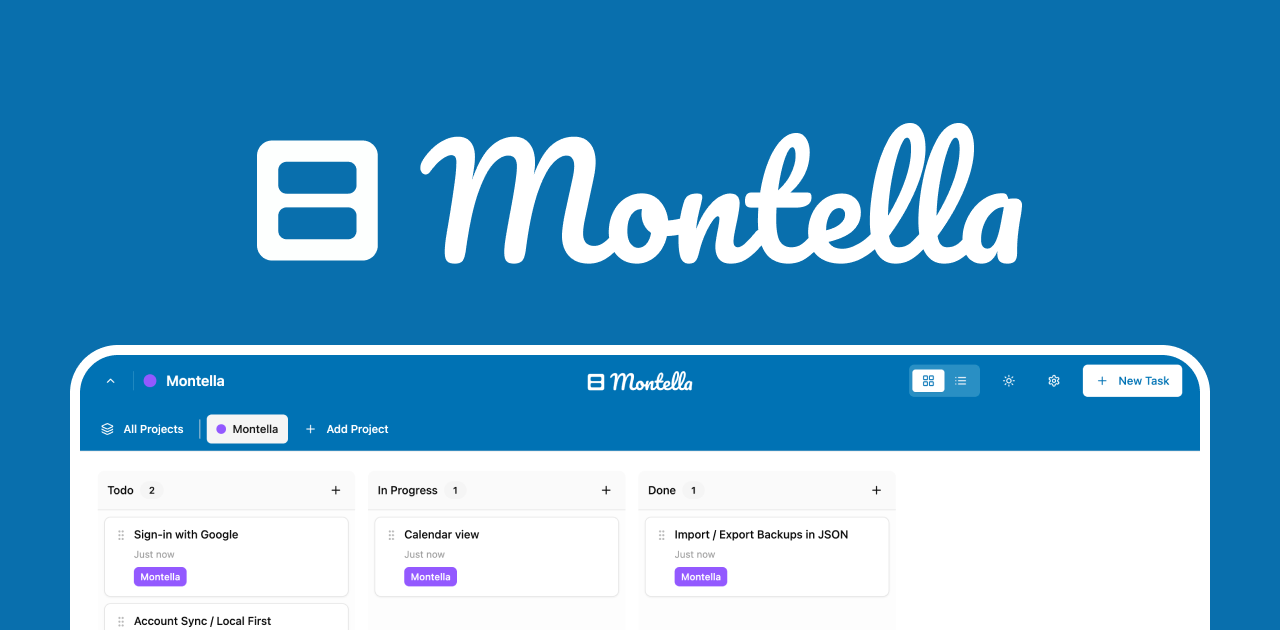
Montella is a free, lightweight Kanban board extension that transforms your browser's new tab into a fully functional project management interface, allowing you to organize tasks, track progress, and move work forward without ever needing to open a separate application. It is designed for individuals who seek a simple yet powerful way to manage both professional and personal responsibilities directly within their browsing workflow, treating every aspect of life as a project worthy of structured organization. The tool operates entirely offline, ensuring all data remains private and stored locally in your browser, which means no accounts, cloud sync, or external servers are involved, giving you complete control over your information.
Many people struggle with task management because their tools are buried in separate apps or require constant internet connectivity, leading to fragmented workflows and distractions. The traditional approach often involves switching between multiple applications, which disrupts focus and makes it difficult to maintain a clear overview of priorities across different life domains. This fragmentation creates a pain point where important tasks for work, home, health, and hobbies become siloed, causing inefficiencies and missed opportunities for holistic planning. Montella addresses this by providing a centralized, always-accessible command center that appears every time you open a new tab, seamlessly integrating task management into your daily browsing habits.
One of Montella's major feature groups is its project hierarchy and nested project capability, which allows users to zoom in and out between detailed tasks and big-picture plans on the same board. You can create separate projects for distinct areas like work, home, health, and hobbies, each with its own dedicated Kanban board, and then further organize these projects within projects to reflect complex structures. This nesting enables you to see today's specific tasks or your overarching five-year plan simply by adjusting your view altitude, all while maintaining a cohesive organizational system. The drag-and-drop functionality lets you effortlessly reorganize your entire project hierarchy at any time, providing flexibility as your priorities and plans evolve, ensuring the tool adapts to your workflow rather than forcing you into a rigid structure.
Another significant feature group is cross-project task linking, which acknowledges that a single task can belong to multiple projects or life categories simultaneously. For instance, a task like 'Learn Spanish' might be relevant to both your 'Career Growth' project and your 'Travel Plans' project, and Montella allows you to link that task across these different boards without duplication. This capability mirrors how real-life responsibilities often intersect, providing a more natural and connected way to manage multifaceted goals that span various domains. By supporting these links, the tool reduces redundancy and helps you maintain a unified view of how individual efforts contribute to broader objectives, enhancing clarity and strategic alignment across all your projects.
admin
Additional capabilities include multiple viewing options such as list and calendar views, custom columns for tailoring your Kanban boards to specific workflows, and robust backup functionality through one-click JSON export. You can download your entire life plan as a single JSON file, which serves as a complete backup that can be restored anytime and anywhere, safeguarding your workflow against data loss. The extension also replaces the default blank new tab with your personalized Kanban board, turning every new tab into a fresh start and a reminder of your priorities, thereby fostering intentional browsing sessions. These features collectively ensure that Montella is not only versatile and adaptable to various management styles but also secure and portable, aligning with its core philosophy of user sovereignty over data.
Montella works as a browser extension, specifically available through the Chrome Web Store, and it installs in seconds without requiring any sign-up process. Once installed, it leverages your browser's local storage to save all data, meaning everything from task details to project structures is stored directly on your device and never transmitted to external servers. This technical approach ensures the tool functions entirely offline, with no dependency on internet connectivity, and maintains privacy by design since the developers cannot access or track any user data. The interface is built to be lightweight and fast, integrating seamlessly into the new tab page so that your Kanban board loads instantly, providing immediate access to your tasks without performance lag or complex setup procedures.
The benefits and measurable outcomes for users include enhanced productivity through reduced context switching, as all tasks are visible the moment a new tab is opened, eliminating the need to dig through separate apps. Users gain a clear, centralized overview of both immediate tasks and long-term goals across all life areas, which improves planning accuracy and reduces the mental load of juggling multiple tools. The offline operation and local data storage ensure complete privacy and data security, giving peace of mind that sensitive information never leaves the user's control, while the easy backup system protects against data loss. Ultimately, Montella helps users start every browsing session with intention, turning previously idle moments into opportunities for progress and fostering a more organized, focused approach to daily responsibilities.
Concrete use cases include managing a software development workflow where a developer creates nested projects for different features, with tasks linked between 'Current Sprint' and 'Technical Debt' boards. A student might use Montella to organize academic projects, linking a 'Research Paper' task to both 'Semester Goals' and 'Extracurricular Activities' while using calendar view to track deadlines. For personal life management, someone could have separate boards for 'Home Renovation,' 'Fitness Goals,' and 'Meal Planning,' with a grocery list task linked across 'Home' and 'Health' projects. Freelancers can track client work in one board and business development in another, using custom columns like 'Pending,' 'In Progress,' and 'Invoiced' to streamline their operational workflow, all accessible instantly in any new tab.
Target users include individuals seeking a simple, private task management solution, such as students, freelancers, professionals, and anyone who values offline functionality and data sovereignty. The tool integrates natively into the Chrome browser as an extension, requiring no additional tech stack or integrations, and it is completely free with no pricing plans, making it accessible to a broad audience. Its design appeals to those who manage multiple projects across different life domains and prefer a visual Kanban method over traditional list-based apps, offering flexibility without complexity. By residing in the new tab, it particularly suits users who frequently open browser tabs and want to transform that habit into a productive ritual, embedding task management into their existing digital routine.
In summary, Montella provides a unique, privacy-focused approach to task management by embedding a fully functional Kanban board directly into your browser's new tab, eliminating the friction of separate applications. It empowers users to organize every aspect of their lives as projects, with features like nesting, cross-linking, and offline operation that support both detailed execution and strategic planning. The tool's commitment to local data storage and one-click backups ensures that users retain complete control over their information, making it a trustworthy companion for personal and professional organization. By turning every new tab into a command center, Montella helps you maintain focus, align daily actions with long-term goals, and move work forward with intention, all within the familiar environment of your web browser.
Montella targets individuals seeking a simple, private, and integrated task management solution, including students, freelancers, professionals, and anyone who values offline functionality and data sovereignty. It appeals to users who manage multiple projects across different life domains like work, home, health, and hobbies, and prefer a visual Kanban method over traditional list-based apps. The tool is ideal for those who frequently open browser tabs and want to transform that habit into a productive ritual, embedding task management into their existing digital routine without additional sign-ups or costs. Its free, no-tracking model attracts privacy-conscious users who want complete control over their data, stored locally in their browser.
Updated 2026-02-28