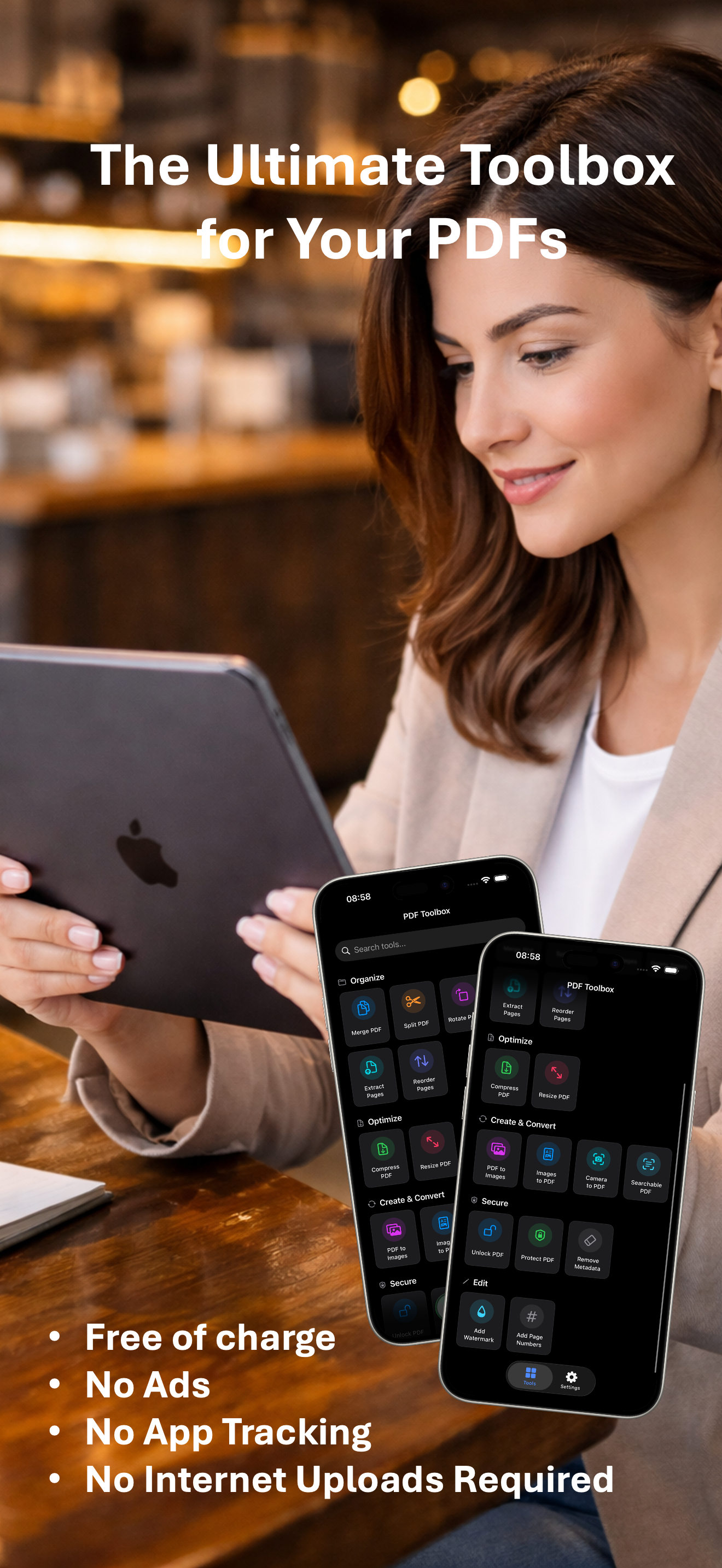
PDF Toolbox is a free, all-in-one offline PDF editor designed exclusively for Apple devices including iPhone, iPad, and Mac. It provides over 20 professional PDF tools that run entirely on the device without any cloud dependency or internet connection. The app is developed by Yung Kei Simon MA and is available on the App Store with a 4+ age rating and English plus 15 other languages. Its core value proposition is to deliver powerful PDF manipulation capabilities traditionally found in paid desktop software, but in a mobile-friendly, zero-cost package with absolute privacy guarantees.
Many users face the frustration of needing to edit PDFs while on the go, but existing solutions often require paid subscriptions or upload files to cloud servers, compromising privacy and security. Students, remote workers, and legal professionals frequently need to merge, compress, or sign PDFs without exposing sensitive data. PDF Toolbox solves this by keeping every operation 100% offline, using Apple’s native PDFKit and CoreGraphics frameworks. There is no data collection, no analytics, and no tracking, so documents never leave the user’s device. This eliminates the common anxiety of uploading confidential files to third-party servers and avoids recurring subscription fees for basic PDF tasks.
The Organize category includes essential page management tools such as Merge and Split. Users can combine multiple PDFs into a single document, which is useful for compiling reports or consolidating receipts. The Split feature allows dividing a PDF by specifying page ranges or extracting individual pages, giving users fine control over document structure. Additionally, users can rotate, reorder, extract, or delete pages to fine-tune their documents before sharing or printing. These operations are executed locally using the device’s processing power, meaning even large files are handled quickly without any network latency. The batch processing support introduced in version 2.2.0 enables handling multiple files simultaneously with detailed progress tracking, significantly boosting productivity for high-volume tasks.
The Optimize category helps reduce file size and adjust page dimensions. The Compress tool uses Metal acceleration to shrink PDFs efficiently while preserving quality, which is vital for email attachments or uploading to websites with size limits. The Resize tool lets users set standard or custom page dimensions for their documents. Under Create & Convert, PDF Toolbox offers conversion between PDF and image formats (PNG, JPEG), creating PDFs from camera photos or scanned documents via the Camera to PDF feature. The OCR tool makes scanned documents searchable by recognizing text, turning image-based PDFs into fully searchable and selectable files. The PDF/A Converter ensures archival compliance for long-term storage. All conversions run on-device without uploading to external servers.
admin
The Secure category addresses document safety with tools to unlock password-protected PDFs and add password protection with granular permissions. Users can also edit or remove document metadata such as author, date, and edit history, which is useful for anonymizing shared files. The Redaction tool permanently removes sensitive content from PDFs before distribution. For editing, PDF Toolbox allows adding text or image watermarks to protect intellectual property, inserting page numbers for professional formatting, and signing PDFs using draw, type, or image signatures. These electronic signatures can be saved for reuse and positioned anywhere on the page, meeting common documentation needs without requiring a paid service.
PDF Toolbox operates entirely on the user’s Apple device, leveraging iOS, iPadOS, and macOS native frameworks. All file processing uses Apple’s PDFKit and CoreGraphics, ensuring high performance and compatibility with Apple’s ecosystem. The app features a Document Manager that provides a file browser for the app’s dedicated folder, complete with an integrated PDF Viewer and context menu for quick access to PDF operations. Users can choose between local device storage and iCloud Drive for storing their files, with the ability to browse, organize, and edit seamlessly. The internal PDF viewer supports form filling, annotations (highlight, underline, drawing, free text), printing, and search. With version 2.3.0, Presenter Mode allows displaying PDFs on an external display via HDMI or AirPlay to Apple TV.
A freelancer can quickly merge multiple invoice PDFs into a single document for client submission, then compress it to meet email size limits—all while keeping financial data offline. A student can scan lecture slides using iPhone camera, convert them to PDF, and run OCR to create a searchable study guide. A legal professional can unlock a password-protected contract, add a confidential watermark, and redact sensitive clauses before sharing with opposing counsel. A project manager organizing team reports can batch process dozens of files to add page numbers and flatten annotations for a polished final deliverable. In each scenario, the outcome is a professional PDF created without subscription fees, cloud uploads, or privacy risks.
PDF Toolbox is designed for anyone who uses Apple devices and needs to manage PDFs regularly—from students and educators to remote workers, lawyers, accountants, and small business owners. It supports iPhone with iOS 17.1+, iPad with iPadOS 17.1+, and Mac with macOS 15.1+. The app is free to download with optional in-app tips (Small Tip $0.99, Medium Tip $2.99, Large Tip $4.99, Generous Tip $9.99) as a voluntary support mechanism. There are no subscriptions, no ads, and no tracking. The developer emphasizes that professional PDF tools shouldn’t require a monthly rent. With over 20 tools, full offline operation, and zero data collection, PDF Toolbox delivers powerful, private PDF editing that respects user privacy and budget.
Students, teachers, lawyers, accountants, small business owners, freelancers, and anyone who handles PDFs on iPhone, iPad, or Mac. Also suitable for privacy-conscious users who need offline document editing without uploading files to the cloud. The app is ideal for professionals requiring quick PDF operations like merging, compressing, signing, and OCR on the go, without subscription fees or data tracking.