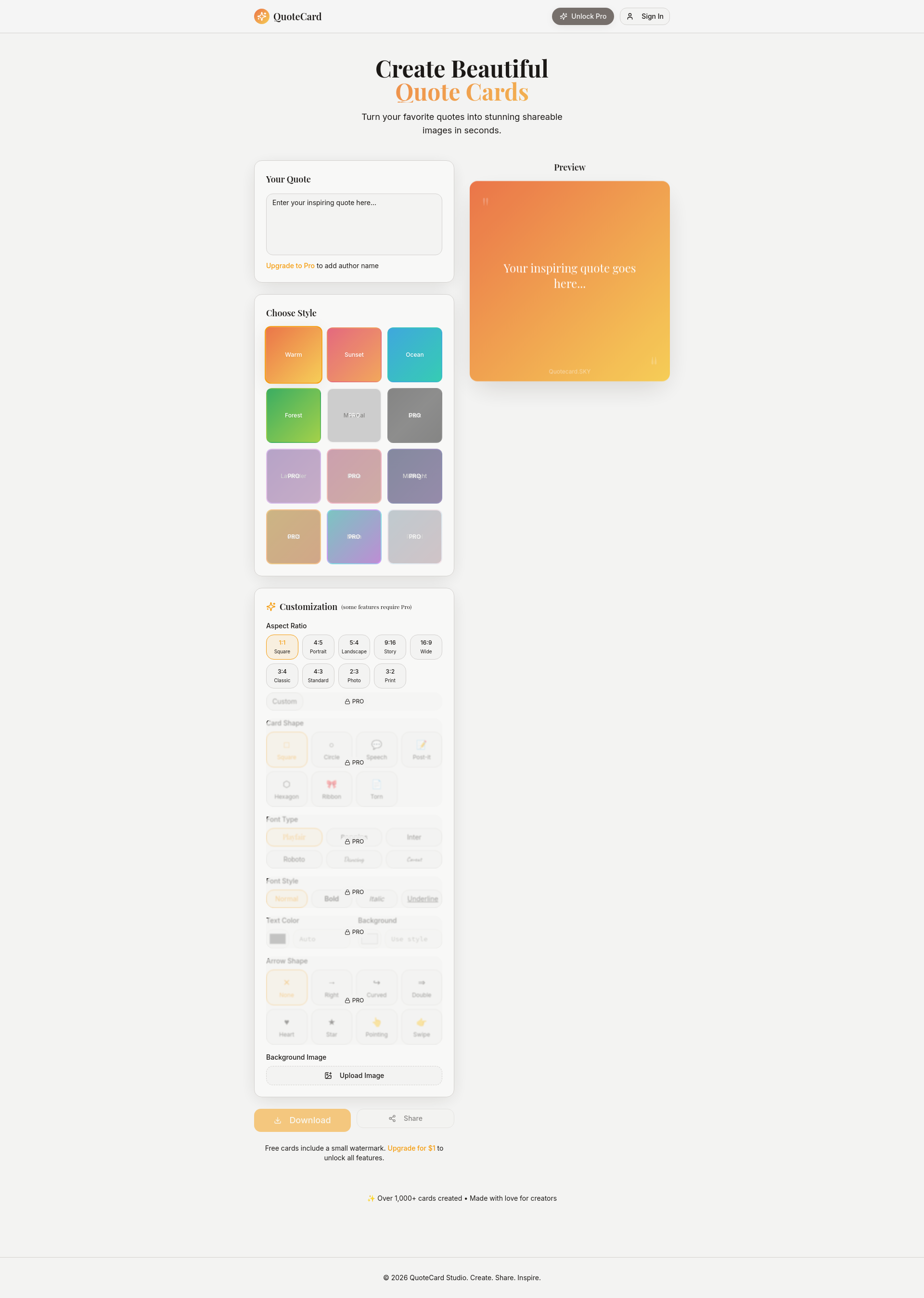
QuoteCard turns your favorite quotes into stunning shareable images in seconds. It's a lightweight studio built specifically for quotes, one-liners, thoughts, and ideas.
QuoteCard is a specialized digital tool designed to transform any text quote, one-liner, thought, or idea into a visually appealing and shareable image card within seconds. It serves creators, social media managers, marketers, and anyone looking to quickly produce attractive visual content for personal inspiration or professional engagement. The primary purpose is to eliminate the complexity of traditional graphic design software by providing a focused, intuitive studio that makes quote visualization effortless and fast.
Many individuals and professionals struggle to create visually compelling content quickly, especially when they lack design skills or access to complex software. The pain point involves spending excessive time on design tools for simple tasks like making a quote image, leading to frustration and reduced productivity. QuoteCard addresses this by offering a streamlined, purpose-built solution that removes technical barriers, allowing users to focus on their message rather than design intricacies, thereby solving the need for rapid, beautiful visual creation without a learning curve.
The first major feature group is the extensive style library, which includes numerous pre-designed themes like Warm, Sunset, Ocean, Forest, Minimal, Dark, Lavender, Rose, Midnight, Gold, Neon, and Pastel. These styles provide instant aesthetic coherence, enabling users to match the visual tone of their quote card to the emotion or context of the text. This matters because it ensures professional-looking results without requiring manual color selection or design knowledge, saving time and enhancing the shareability of the final image across different platforms and audiences.
The second major feature group revolves around deep customization options for the card's layout and appearance. Users can adjust the aspect ratio to formats such as Square, Portrait, Landscape, Story, Wide, Classic, Standard, Photo, and Print, ensuring the card fits various display and sharing needs. Additionally, card shapes like Square, Circle, Speech bubble, Post-it, Hexagon, Ribbon, and Torn paper add creative flair, while font choices including Playfair, Poppins, Inter, Roboto, Dancing, and Caveat, along with styles like Normal, Bold, Italic, and Underline, allow for precise typographic control to emphasize the quote's message.
Further capabilities include text alignment options (Left, Center, Right, Justify), text and background color customization, and decorative arrow shapes such as None, Right, Curved, Double, Heart, Star, Pointing, and Swipe. Users can also upload their own background images for personalization, and the tool supports downloading and sharing the final card directly. The Pro version unlocks all features, including adding author names, removing watermarks, and accessing premium styles and shapes, providing a comprehensive suite for advanced users seeking full creative freedom.
Publisher
A
admin
Launch Date2026-02-01
Platformweb
Pricingfreemium
Traffic Insights
Month2026-01
Estimated Visits0
MoM Visits GrowthN/A(+0)
Avg Time on Site0s
MoM Time GrowthN/A
Bounce Rate0.0%
Updated 2026-02-28