My keyboard fell apart. Now it's your problem.
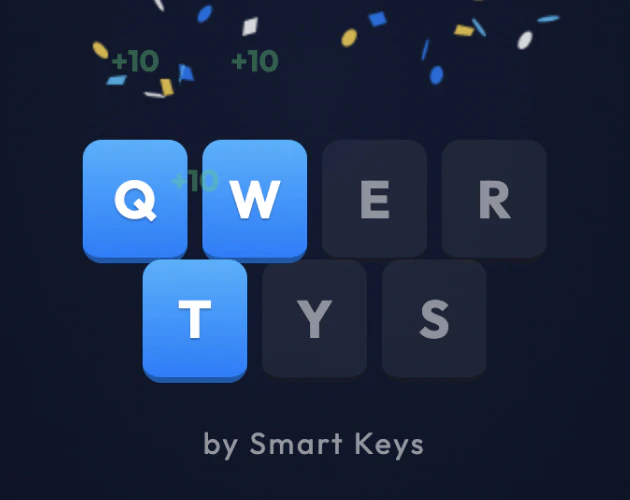
QWERTYS is a unique puzzle game that blends the classic Tetris mechanic with a keyboard layout, created by developer Diegodotta as a love letter to his smart keyboard app, Smart Keys. The game challenges players to drop falling keyboard keys onto their exact home positions on a virtual keyboard grid. It is designed for puzzle enthusiasts who enjoy a fresh twist on familiar mechanics, requiring both spatial awareness and knowledge of keyboard layouts. The core value lies in its ability to transform a mundane keyboard into a source of addictive challenge, offering a quick but engaging session for anyone seeking a brain-teasing break.
The primary pain point QWERTYS solves is the monotony of standard falling-block puzzle games, which often rely solely on shape recognition. By introducing a keyboard layout with fixed home positions for each key, the game adds a layer of memorization and precision that traditional Tetris lacks. Players must recall the location of letters like 'A' or 'Z' under pressure, making each move a test of both reflexes and memory. This matters because it turns a simple matching game into a cognitive workout, appealing to those who want more than just stacking shapes—they want a puzzle that engages their knowledge of keyboard layouts.
The first major feature group is the core mechanic: each falling block is a keyboard key that has exactly one home on the grid. For example, the 'A' key must be dropped on the 'A' position. Missing the spot turns the key into a useless gray brick that remains until destroyed. This feature works by requiring precise placement, and it is useful because it forces players to actively think about letter positions, turning the game into a memory challenge. The mechanic is enhanced by the keyboard's familiar QWERTY layout, making it accessible yet surprisingly difficult as players struggle to remember where each letter sits.
The second major feature group includes bombs and flags. Bombs allow players to blow up misplaced gray bricks, providing a strategic escape when junk accumulates. Flags flip the entire keyboard into alternate layouts such as AZERTY, QWERTZ, or other regional variants mid-game, re-snapping everything into place. This feature is useful for adding variety and chaos, as players must adapt to different keyboard arrangements on the fly. The inclusion of flags (with national flags) introduces musical themes for each layout, such as Germany or Mexico, enhancing the experience with cultural flavor and extra challenge.
The third feature group covers combos, row clears, and power-ups. When keys are stacked correctly, rows light up blue and clear, rewarding players for accuracy. Combos amplify the score when multiple rows are cleared in quick succession. Power-ups like a turtle (slow mode), rabbit (fast mode), or light bulb (hint) can be caught as they fall, providing temporary advantages. Additionally, spelling out 'QWERTYS' awards a feeling of power. These features work together to create a dynamic scoring system that encourages both precision and speed, with power-ups adding strategic depth to the gameplay.
Publisher
A
admin
Launch Date2026-06-07
Pricingfree
Domain Authority
Ahrefs DR92/100