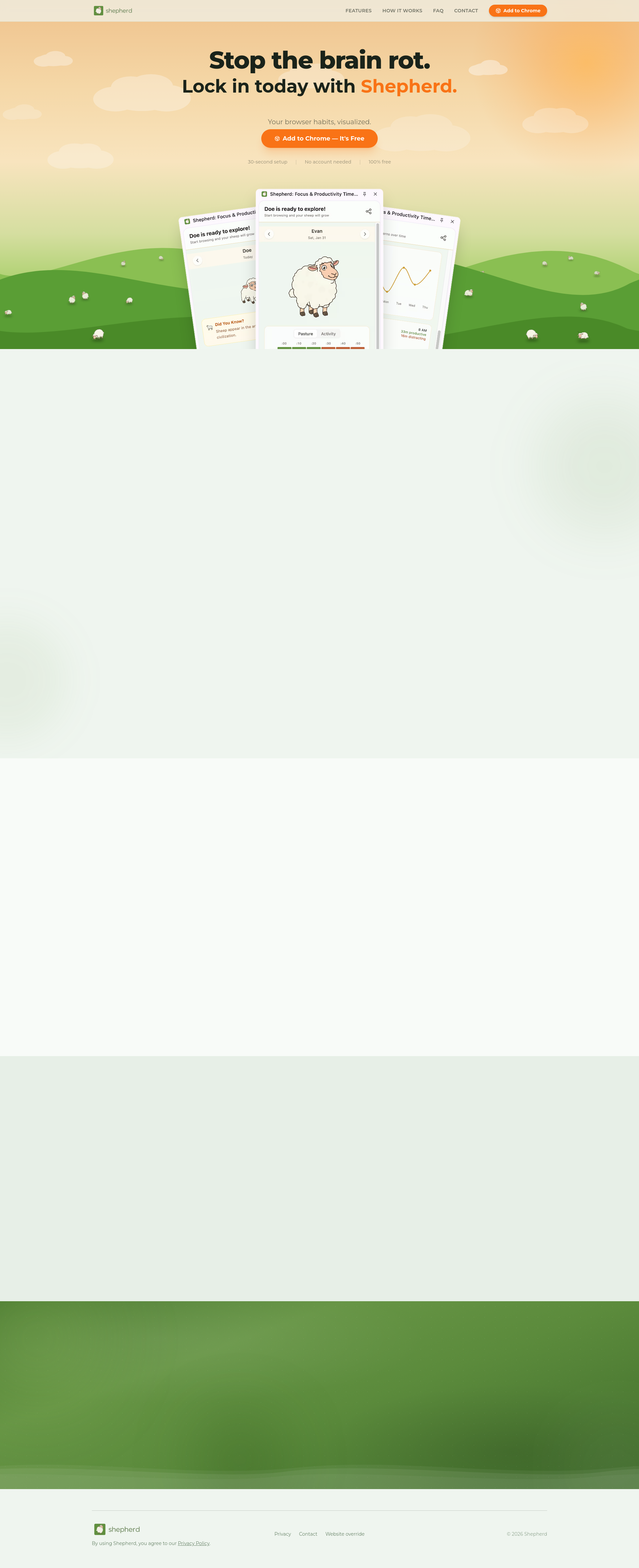
Shepherd is a free Chrome extension designed to automatically track and visualize your browsing activity, providing a daily productivity score without any manual input. It is built for individuals who want to gain awareness and control over their digital habits, aiming to combat distraction and promote focused work by offering full accountability through passive monitoring. The tool categorizes every website visited, calculates a comprehensive Health Score for your entire day, and presents trends and patterns to help you understand and improve your online behavior. Its main purpose is to help users stop unproductive browsing, often referred to as brain rot, and lock in on meaningful tasks by making their browser habits transparent and measurable.
In today's digital environment, constant browser use is essential for work, learning, and communication, but it also presents a significant distraction problem. Many people find themselves unintentionally spending hours on unproductive websites, losing focus, and struggling to maintain productivity throughout the day. Traditional productivity tools often require manual time logging or complex setup, which adds friction and is easily abandoned. Shepherd addresses this pain point by eliminating all manual input, running completely passively in the background while you browse normally. It tackles the core issue of lack of awareness—you cannot improve what you do not measure—by automatically providing the data and insights needed to spot distractions early and take corrective action.
The first major feature group is automatic tracking and categorization, which forms the foundation of Shepherd's functionality. The extension runs passively as you browse, requiring zero manual input, and it automatically categorizes every single website you visit into productive or distracting categories. This process happens in real-time, collecting data on how much time you spend on different sites without you needing to start or stop timers. The categorization is based on predefined rules and likely uses domain analysis to classify sites, ensuring that your GitHub, Google Docs, or Stack Overflow sessions are counted as productive, while sites like YouTube might be flagged as distracting. This automated approach matters because it removes the burden of self-reporting, increases accuracy by tracking actual behavior, and provides a complete, unbiased picture of your digital day.
The second major feature group is the Health Score and daily insights, which translate raw tracking data into actionable feedback. Every site you visit is auto-categorized, and then Shepherd synthesizes this information into one simple score for your entire day, called the Health Score. This score gives you an immediate, at-a-glance understanding of your productivity level, helping you gauge whether you had a focused or distracted day. Alongside the score, the tool provides detailed insights such as weekly trends, hourly activity patterns, and lists of your top sites, all generated automatically. These insights allow you to spot patterns over time, like which days you are most productive or which hours you tend to get distracted, enabling you to make informed adjustments to your schedule and habits.
admin
The third feature group includes gamification and visualization elements, specifically the Daily Sheep and social leaderboards, which enhance engagement and motivation. Each day, you receive a new sheep that evolves or changes based on your productivity performance, creating a fun, visual representation of your focus streak. This gamified element, symbolized by the sheep emoji, encourages consistent use by making productivity improvement feel like a rewarding game. Additionally, social leaderboards allow you to compare your scores with friends or other users, adding a layer of friendly competition and social accountability. These features work together to transform the often tedious task of self-improvement into an engaging experience, helping users stay motivated to maintain good browsing habits over the long term.
Shepherd works overall through a straightforward technical approach as a Chrome extension that integrates directly into your browser. After a simple 30-second setup involving just one click to add it to Chrome, with no account needed, it begins running passively in the background. It monitors your browsing activity, including tab switches and time spent on each domain, and uses idle detection to differentiate active use from periods of inactivity. The collected data is processed locally or on secure servers to categorize sites, calculate scores, and generate visualizations like trends and top sites lists. All this information is then presented in a clean, accessible panel within your browser, allowing you to see your score, productivity trends, and your sheep without needing to navigate to a separate app.
The benefits and measurable outcomes for users include increased self-awareness, improved focus, and tangible productivity gains. By automatically visualizing your browser habits, Shepherd helps you identify exactly where your time is going, which is the first step toward reducing distractions. Users can expect to see a clear breakdown of productive versus distracting time, enabling them to set goals and track progress over days and weeks. Measurable outcomes likely include a higher daily Health Score, more consistent productive hours, and a reduction in time spent on unproductive sites. Ultimately, the tool empowers users to own their day by providing the data needed to make intentional choices about their online behavior, leading to better work output and less digital fatigue.
Concrete use cases with specific workflow examples include students managing study sessions, remote workers maintaining focus, and freelancers tracking billable hours. A student might use Shepherd to ensure they spend their planned two-hour study block on educational sites like Google Docs and research databases, while minimizing time on social media. A remote worker could leverage the weekly trends to identify that they are most distracted mid-afternoon and then schedule deep work tasks for the morning. A freelancer might use the top sites report to verify that the majority of their browser time is spent on client projects and professional tools, helping them accurately assess productivity for billing or self-evaluation purposes. In each case, the automatic tracking removes the guesswork and provides objective data to optimize workflows.
Target users include students, professionals, remote workers, freelancers, and anyone who uses a browser extensively and wants to improve digital focus. The tool is specifically designed for Chrome users, as it is a Chrome extension, and it integrates seamlessly into the browser without requiring additional software or accounts. Its tech stack is centered around browser extension APIs for activity monitoring and likely uses lightweight front-end technologies for its dashboard. Pricing plans are straightforward: Shepherd is 100% free, with no mentioned tiers or subscriptions, making it accessible to a broad audience. It does not require integrations with other apps, as it operates independently within Chrome, focusing solely on browser activity tracking and visualization.
In summary, Shepherd provides a free, automatic, and engaging solution to track and improve your browsing productivity. By eliminating manual input and offering features like Health Scores, trend analysis, and gamified sheep, it turns habit awareness into a simple, passive process. The primary value lies in its ability to make invisible digital habits visible, giving users the insights needed to reduce distractions and lock in on what matters. Whether you are a student, professional, or casual browser user, Shepherd helps you spot patterns, own your day, and combat the brain rot of unproductive online time through full accountability and clear visualization.
Shepherd targets students, professionals, remote workers, freelancers, and anyone who uses the Chrome browser extensively and wants to improve their digital focus and productivity. It is designed for individuals who struggle with distraction during online work or study and seek a tool that requires no manual effort to track and visualize their browsing habits. The audience values automatic tracking, clear insights like Health Scores and trends, and engaging elements like gamified sheep to stay motivated. As a 100% free Chrome extension with a 30-second setup and no account needed, it appeals to users looking for an accessible, straightforward solution to gain accountability over their browser time without complexity or cost.
Updated 2026-02-28