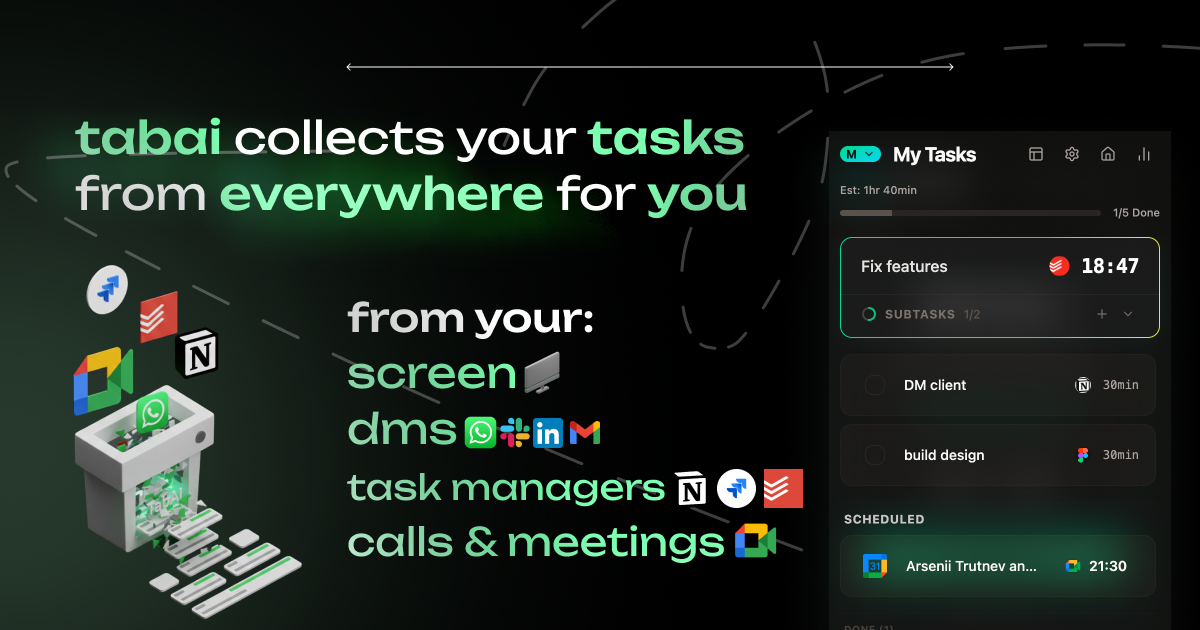
TabAI is an AI distraction blocker that learns your work context to automatically stop distractions. It collects tasks from everywhere and helps you stay focused with intelligent blocking and smart tab management.
TabAI is an AI distraction blocker that transforms the way you work by learning your context and automatically stopping distractions. This category-defining tool is built for anyone who finds themselves drowning in a sea of open tabs and scattered tasks—founders, engineers, students, and professionals alike. The core value proposition is simple: TabAI collects tasks from everywhere you work—Gmail, Notion, Linear, Todoist, and more—and uses AI to detect what you are currently focusing on, then blocks irrelevant sites and organizes your browser accordingly. Instead of manually managing tasks and fighting temptations, you let the AI do the heavy lifting, reclaiming hours each week for deep work. This eliminates the constant context switching and mental overhead that plague modern knowledge workers, allowing you to stay locked in on what truly matters.
The concrete problem TabAI solves is the fragmentation of tasks across multiple apps like Gmail, Slack, Notion, and Calendar, leading to missed deadlines and endless app switching. Additionally, digital distractions such as social media, news sites, and irrelevant tabs constantly break focus and reduce productivity. For example, a developer must track issues from Linear, emails from Gmail, and messages from Slack while resisting the urge to open YouTube. TabAI addresses this by centralizing all tasks into one unified view and using context-aware AI to block distractions exactly when they would be most detrimental. This reduces the cognitive load of remembering tasks and fighting temptations, allowing users to maintain deep work for longer periods.
The first major feature group is Automatic Task Collection. TabAI integrates seamlessly with Gmail, Google Calendar, Notion, Linear, Todoist, TickTick, Slack, Telegram, WhatsApp, and many more, automatically pulling all tasks into a single dashboard. It syncs in real-time, tracking due dates and progress so nothing slips through the cracks. This eliminates the need to manually check each app, saving users up to 4–7 hours per week according to the site. By having a complete view of all responsibilities, users can prioritize effectively and reduce the anxiety of forgotten tasks, making it a foundational part of the focus workflow.
The second major feature group is Context-Aware Blocking. The AI learns the user's work patterns over time and automatically detects what they are currently working on based on open tabs and active applications. When it identifies a focus session, it blocks distracting websites and apps—like social media, news, or entertainment—without requiring manual lists. This automatic distraction detection adapts to changing contexts, so during a coding session, developer tools remain accessible while YouTube is locked. The key benefit is that users no longer exhaust willpower resisting distractions; instead, the AI handles decisions, enabling effortless deep work and reducing the temptation to procrastinate.
Publisher
A
admin
Launch Date2026-02-06
Platformweb
Pricingfreemium
Domain Authority
Ahrefs DR11/100
Traffic Insights
Month2026-01
Estimated Visits11K
MoM Visits Growth+83.6%(+5K)
Avg Time on Site28s