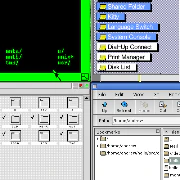
The Virtual OS Museum is a comprehensive virtual operating system museum that delivers over 570 distinct operating systems running under emulation as a ready-to-use Linux VM for QEMU, VirtualBox, or UTM. This unique collection spans the entire history of stored-program computing, from the Manchester Baby of 1948 to the present day, making it ideal for retro computing enthusiasts, historians, educators, and anyone curious about the evolution of software. By bundling pre-installed and pre-configured OSes with a custom emulator-independent launcher, it removes the technical barriers that typically deter users from exploring computing history. The core value lies in its instant accessibility: you click an entry, and the operating system runs, often with era-appropriate applications already loaded, exactly as someone might have used the machine at the time.
Traditional software preservation often requires users to assemble complex toolchains, locate compatible emulator versions, and navigate obscure installation procedures that can consume days of effort. Many historical operating systems only function with specific emulator builds or require particular device configurations that break with later updates, leaving most preserved software theoretically bootable but practically unreachable. This project solves that pain point by handling all the tedious configuration, patching, and testing behind the scenes, so users never need to worry about incompatible disk images or corrupt installations. The result is a democratic approach to computing history where anyone can boot a rare mainframe OS or an early Unix variant with a single click, transforming what was once a specialized technical task into an effortless exploration.
The launcher, a central feature of The Virtual OS Museum, is an emulator-independent application that organizes the entire collection into a simple, navigable menu. It automatically detects the available hypervisor—QEMU, VirtualBox, or UTM—and launches each operating system in the appropriate environment without manual scripting. Over 250 platforms are supported, each with pre-assigned emulator versions that have been tested and, where necessary, patched to run under modern Linux. This arrangement is useful because it circumvents compatibility regressions and configuration drift: no matter what host system you use, the launcher ensures consistent, reproducible boot sequences. Users who might otherwise abandon a preservation project after encountering cryptic error messages can instead browse through centuries of software evolution with confidence.
A built-in snapshot feature provides a safety net for experimentation by allowing users to revert any operating system installation back to a known working state in seconds. Because the museum encourages tinkering—installing additional software, modifying system files, or testing peripheral emulation—instances can become unstable or fail to boot. The snapshot functionality captures the VM's disk and memory state before risky actions, and the launcher can restore that state with a single command. This eliminates the fear of permanently corrupting an emulated OS, a common deterrent for newcomers. From a preservation standpoint, it also means the original curated configurations remain intact even as users freely explore, which maintains the integrity of the collection while supporting active learning and discovery.
admin
The Virtual OS Museum offers both a full and a lite edition to accommodate different user needs. The full version ships with every disk, tape, and media image pre-downloaded, enabling fully offline operation—ideal for environments with limited internet access or for archival purposes. The lite version downloads required images on first use, conserving bandwidth and local storage. Both editions support automatic and manual updates, so new installations appear without re-downloading the entire VM. Hypervisor installers and shortcuts for Windows, macOS, and Linux are included, streamlining the initial setup. Additionally, many installations include add-on software such as development tools, games, and utilities, configured the way a real user would have experienced them, which enriches the educational and nostalgic value.
The entire museum operates as a self-contained Linux virtual machine that packages a vast catalog of emulators, launcher scripts, and curated system images. After downloading the preferred edition, users import the VM into their hypervisor of choice and start the launcher. The launcher presents an interactive catalog where each entry corresponds to a distinct OS version—from obscure research systems like Oberon and ZetaLisp to mainstream releases like Windows 3.1 or Mac OS 9. When an entry is selected, the launcher configures the emulator on the fly, mounts the appropriate media, and boots the OS. This methodology ensures that every historical environment is reproduced faithfully without manual intervention. The project updates regularly, incorporating new finds from software archives and community suggestions, keeping the collection vibrant and growing.
Educators can use The Virtual OS Museum to demonstrate the progression of user interfaces, from early resident monitors and CTSS time-sharing to the first GUI on the Xerox Star, and onward through Windows, classic Mac OS, and mobile platforms like EPOC/Symbian. Developers studying operating system design can boot experimental kernels like Mach386 or Plan 9 to examine innovative memory models and file‑system abstractions. Retro computing hobbyists can relive the experience of using a Tandy TRS-80, an Atari 8-bit, or a BeBox running BeOS, complete with period applications. Historians can access rare mainframe software such as MVS and TOPS-20 without hunting down decaying hardware. In each case, the outcome is genuine, interactive engagement with computing heritage, fostering a deeper understanding of technological evolution.
The target audience includes computing historians, software archaeologists, retrocomputing enthusiasts, computer science educators, and students of operating system design. It also serves digital preservationists who require reliable, ready-to-run reference environments. The Virtual OS Museum is a personal project sustained by one curator, with support channels on Patreon and Ko-fi for funding, and Discord and Fluxer for community discussion and suggestions. Bug reports and patches can be submitted via GitLab for the launcher and scripts, or GitHub for forked emulators like MAME. Platforms like BlueSky, a blog, and a YouTube channel document ongoing work. Ultimately, this museum makes the entire sweep of operating system history not just preserved but truly reachable—turning the promise of software archival into a one-click reality for everyone.
The Virtual OS Museum is designed for computing historians, retrocomputing enthusiasts, computer science educators, and students seeking direct access to historical operating systems. Software preservationists and digital archivists will find it an invaluable reference collection that eliminates hardware dependencies. OS developers and researchers can study legacy kernels and architectural concepts in their native environments. Hobbyists who enjoy vintage computing can explore platforms from CP/M to BeOS without configuring emulators. Additionally, museums and libraries can deploy it as a ready-made interactive exhibit for public engagement with computing heritage.