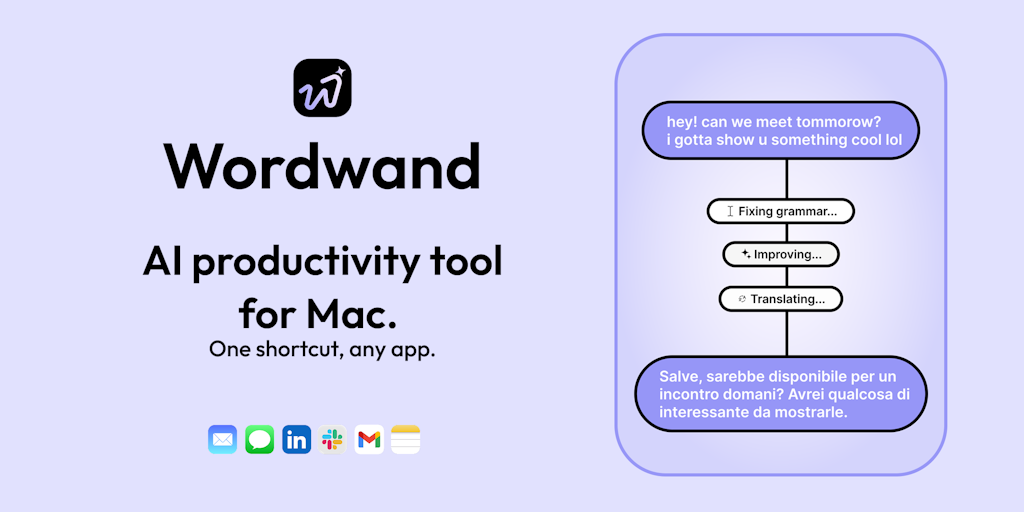
Wordwand is an AI writing assistant for Mac that puts generative AI directly inside every application where you type. It is designed for writers, professionals, creators, developers, and students who want to enhance their text without interruptions. The core value of Wordwand is that it eliminates the need to switch between apps or copy-paste content to get AI assistance. By simply pressing a global shortcut, users can ask Wordwand to write, fix grammar, translate, or dictate text, and it instantly appears in the active text field. This seamless integration makes writing faster and more fluid, allowing users to stay focused on their work. Every interaction is designed to feel like a native part of the operating system, not an external tool. Whether you are composing an email, crafting a social media post, or writing code, Wordwand accelerates your expression.
One of the biggest frustrations for modern professionals is the constant context-switching required to get writing help. You might find yourself opening a browser, navigating to an AI chat tool, typing a prompt, copying the result, and pasting it back into your original app. This breaks concentration and wastes valuable time. Wordwand solves this pain point by embedding AI directly into the macOS text input system, so you never leave the application you are working in. For example, when you need a polite decline email, you simply type your request anywhere and press the Wordwand shortcut, and the AI composes a draft right there. This eliminates the friction of juggling multiple windows and keeps your mental flow intact. The result is not only faster writing but also higher-quality content because you can iterate quickly without distraction. For professionals juggling dozens of messages daily, this represents a significant productivity gain.
The first major feature group is the “Ask AI Anything” capability. This feature works in any text editor, mail client, or messaging app on your Mac. You type a natural language request—such as “write a polite decline email” or “generate a creative headline”—and then press a customizable keyboard shortcut. Wordwand processes the request instantly and replaces your input with a fully fleshed-out response. No copying or pasting is required. This is particularly useful for overcoming writer’s block or generating quick drafts. The AI understands context, so you can refine requests iteratively: if the first draft isn’t perfect, you can modify your prompt and get an improved version in seconds. Because it works inside your existing workflow, you save the mental energy of context-switching and can produce polished content faster.
admin
The second major feature group revolves around voice dictation and multilingual support, described as “Type less, say more.” Users can speak their thoughts aloud, and Wordwand transcribes the audio into text in real time. After transcription, the same shortcut can be used to fix grammar, adjust the tone, or translate the text into over 40 languages. This means you can dictate a quick reply while walking, then have it automatically polished into a professional message before sending. The dictation is accurate and adapts to different accents, and the ability to correct errors on the fly means you don’t have to worry about speaking perfectly. For people who think faster than they type, this feature turns casual spoken notes into crisp written communications, making it invaluable for busy professionals and content creators who need to capture ideas immediately.
A third standout feature is the “Listen to your text” capability, which converts any written content into spoken audio. Wordwand can perform a full read-aloud of your text, generate smart summaries in audio form, or even create a two-person podcast conversation from written material. This is ideal for learning while commuting, reviewing documents while exercising, or consuming long articles in audio format. The premium version includes natural-sounding voices that are indistinguishable from human speech, making the listening experience pleasant and engaging. The podcast mode is particularly innovative: it analyzes the text and generates a dialog between two virtual speakers, summarizing and discussing the key points. This transforms passive reading into an active audio experience that helps users absorb information more effectively.
Wordwand’s overall workflow is built around a single, unified shortcut that works uniformly across macOS applications. Once installed, the app runs in the background and detects when you highlight text or position your cursor in a text field. Pressing the shortcut opens a small overlay or directly injects AI-composed text. The magic lies in the automation: you can set per-app tone preferences so that in Mail, responses are automatically professional; in Slack, casual and friendly; in Messages, informal. Additionally, users can highlight any block of text containing tasks, action items, or notes, and with the “Turn text into tasks” command, Wordwand instantly extracts a clean to-do list. This makes it not just a writing aid, but a productivity tool that structures your thoughts. The entire system is designed to minimize keystrokes and maximize output, letting AI handle the heavy lifting while you stay in control.
Concrete use cases abound. A freelance writer using Wordwand can quickly generate article introductions, overcome creative slumps, and refine drafts without leaving the word processor. A marketing professional composing dozens of LinkedIn posts daily can set the tone to be persuasive and get instant variations. A student taking lecture notes can dictate summaries and then have them translated into study guides or audio summaries for later review. Developers writing documentation can ask Wordwand to explain complex code concepts in plain English and insert the result directly into comments. In each scenario, the outcome is the same: a dramatic reduction in the time spent on writing and editing, combined with a boost in the clarity and effectiveness of the final text. Users report that tasks that used to take hours now take minutes, freeing them to focus on higher-value work.
Wordwand is designed for a broad yet specific audience: writers seeking inspiration and polish, professionals aiming to communicate more effectively, content creators juggling multiple platforms, developers who want to speed up documentation, and students who need writing support. The app runs on macOS 13.0 or later and is available as a free download with no credit card required. The free Basic plan includes 5,000 words per month, standard text-to-speech voices, and essential AI features. For power users, the Pro plan costs $9.08 per month (billed annually at $109/year) and unlocks 50,000 words per month, custom AI prompts, premium natural voices, podcast mode, faster responses, and priority support. This tiered pricing ensures that casual users can benefit while professionals get unlimited potential. In summary, Wordwand makes AI writing assistance universally accessible, transforming every text field on your Mac into a creative powerhouse that helps you say more with less effort.
Wordwand is built for Mac users who write regularly: writers crafting articles or novels, business professionals managing emails and messages, content creators producing social media posts, developers writing documentation or comments, and students taking notes and writing essays. It’s ideal for anyone who wants to improve writing speed and quality without disrupting their established Mac workflow. Power users will appreciate advanced controls like per-app tone settings and custom prompts, while casual users benefit from the free, frictionless AI assistance right where they type.
Updated 2026-02-28