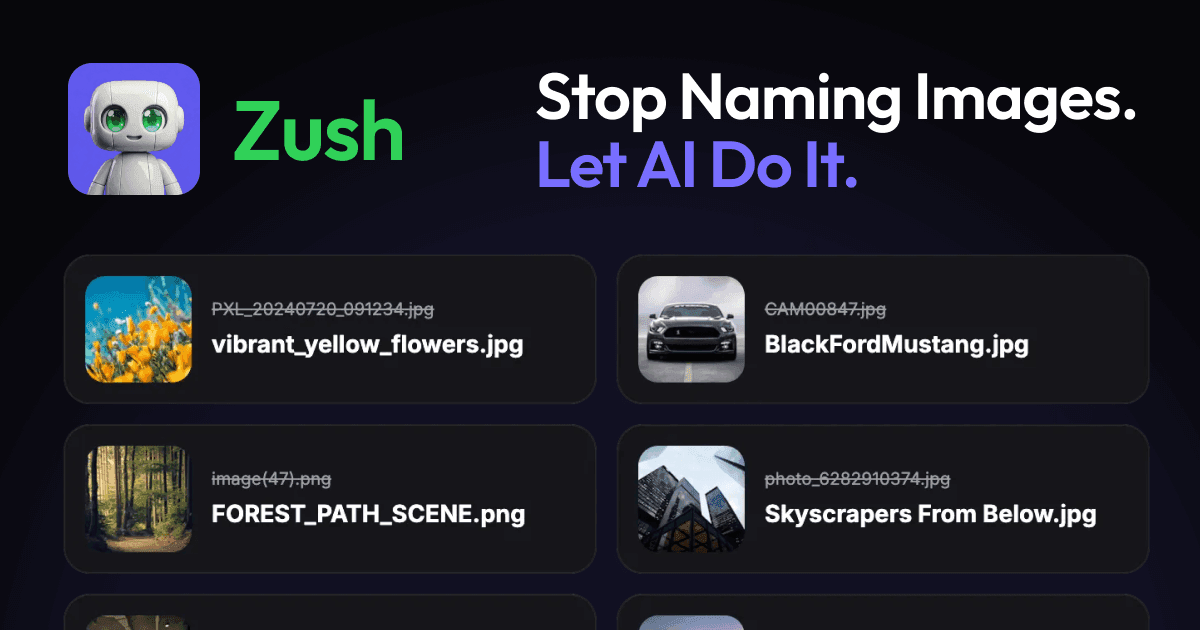
Zush is a file renamer for Mac and Windows that automates the tedious task of renaming files. Using advanced AI, templates, and 145+ Naming Blocks, it analyzes images, design files, audio, videos, and supported documents, including PDFs and iWork files, to generate descriptive, meaningful filenames and metadata. It serves users who need to organize screenshots, photos, design assets, audio tracks, video clips, and everyday documents by their actual content rather than generic or sequential names.
Managing digital files often results in messy folders filled with generic names like 'IMG_0842.JPG', 'track_01_final.mp3', or 'Document1 (3).docx'. These uninformative filenames make files difficult to find, share, and manage, especially in large libraries. Zush solves this problem by automatically analyzing file content to suggest clear, searchable names, eliminating the manual, time-consuming work of renaming files one by one or applying simplistic patterns that don't reflect what's inside each file.
A core feature is Smart Batch Rename, which allows users to rename mixed files with smart analysis based on each file type and its actual content. This works across images, design files, PDFs, audio, videos, iWork, and Office documents. Users can drag and drop a collection of files, review the AI-generated names, and apply the batch rename in seconds, transforming 'Screenshot 19.45.png' into 'Bali_Sunset_Beach.png' based on visual analysis.
Another key capability is Folders Monitoring, where Zush runs in the background to watch one or multiple folders. When new supported files are added to a monitored folder, Zush automatically processes and renames them in real time without manual intervention. This is ideal for automatically organizing new screenshots saved to the desktop or design assets added to a project folder.
The app includes Smart Metadata, automatically adding Finder tags and Spotlight metadata based on file content. This enables users to find files instantly with natural search queries. For example, an image analyzed as containing 'glitch art' and 'cyberpunk' elements can be tagged accordingly, making it searchable in the system's native search tools.
Zush provides extensive customization and control for power users through PRO features. Templates allow saving reusable rename setups for specific workflows like screenshots, expenses, music tracks, client work, legal files, and travel bookings. Naming Blocks offer 145+ building blocks covering dates, file metadata, audio details, finance fields, clients, travel, legal, and AI-detected context to construct consistent, structured filenames.
admin
Zush works by employing artificial intelligence to rename files by content. Users simply drag and drop files onto the Zush window, and they are analyzed and renamed in seconds. The process involves analyzing visual content, extracted document text, PDF context, design previews, audio metadata or transcript context, sampled video frames, and file metadata, depending on the format. The app supports a 'Bring Your Own Key' (BYOK) option for unlimited cloud renames with user-provided API keys from Gemini, Groq, OpenAI, or Claude, and an Offline AI mode using private local models via Ollama for complete privacy.
Benefits for users include saving significant time by automating a repetitive task, creating a searchable and organized digital library with descriptive filenames, and improving workflow efficiency with automatic folder monitoring. Users gain the ability to find files instantly using natural language searches thanks to added metadata and tags, and they maintain full control with the ability to review, regenerate, and revert any changes.
Concrete use cases include a photographer automatically renaming a shoot's photos by date, client, event, and place using templates and naming blocks. A designer can batch rename mixed Figma, Sketch, and PSD files based on their visual content and project context. An office worker can organize a folder of messy screenshots, PDFs, and Word documents from various projects by their actual content. A video editor can rename video clips based on sampled frames and subtitle context. A musician can organize audio tracks by BPM, genre, and mood detected from the audio. A bookkeeper can rename expense documents with dates, vendor names, totals, and invoice numbers extracted from the files.
The target users are professionals and individuals on macOS and Windows who handle diverse digital files, including designers, photographers, videographers, musicians, office workers, students, and anyone with cluttered downloads or screenshot folders. The app integrates with native system features like Finder tags and Spotlight on Mac and supports over 100 file formats across images, RAW photos, design files (Sketch, Fig, AI, PSD), PDFs, Office and iWork documents, subtitles, audio, and video. Pricing includes a free tier with 50 AI renames and two PRO plans: a Monthly plan at $8/month and a One-Time lifetime access plan at $38, both unlocking unlimited PRO renames, BYOK, Offline AI mode, Custom AI Prompts, Templates, and Naming Blocks.
In summary, Zush transforms chaotic digital libraries by using AI to analyze file content and generate descriptive, organized filenames automatically, saving users time and frustration while making their files instantly searchable and manageable.
Zush targets professionals and individuals on macOS and Windows who handle diverse digital files and struggle with disorganized libraries. Primary users include designers, photographers, videographers, musicians, office workers, students, and anyone with cluttered downloads or screenshot folders. It's ideal for those who need to organize images, design files, PDFs, audio tracks, video clips, and everyday documents by their actual content rather than generic names. The app serves both casual users needing to clean up personal files and power users requiring advanced workflows with templates, custom prompts, and integration with their existing AI services through BYOK or offline processing.
Updated 2026-02-28